Software for Pro Tools and post-production sound
Free Range Audio makes applications for people working with Pro Tools in post-production sound and music. PT Prefs covers system maintenance and PTX inspection. PT EDL covers picture conform and production sound assembly. PT Session covers ADR cueing, recording review, production paperwork and optional reviewed client collaboration. PT Music Sheets generates music cue sheets from Pro Tools sessions and covers music editorial, recording plans and production paperwork.
PT Prefs
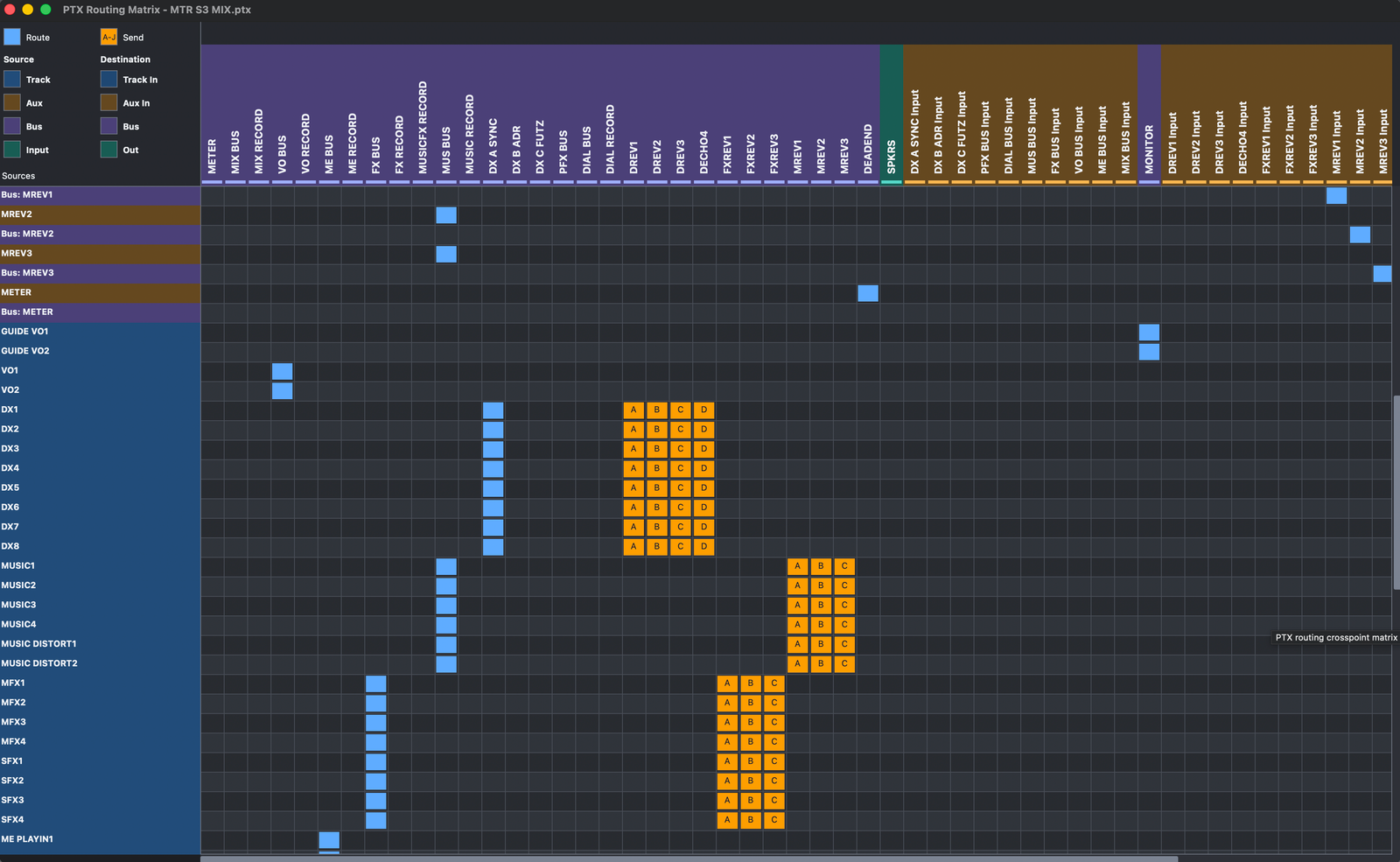
PT Prefs brings routine Pro Tools maintenance and file inspection into one application. The free tools cover preference repair, dated backups and restore, and a multi-format plug-in inventory across AAX, AU, VST2 and VST3 with search and export. PT Prefs Pro adds individual AAX activation control and Plug-in Sets, WAV/AIFF integrity checking, PTX session inspection including Session Details, Edit View, I/O and routing, batch loudness measurement, Adjust WAV, a Finder Quick Action, and command-line plus local HTTP JSON automation. A PT Prefs Pro lifetime licence is $35 USD.
- Free preference repair, backup and restore
- Free AAX, AU, VST2 and VST3 inventory
- Pro AAX activation control and Plug-in Sets
- Pro PTX inspection, Edit View, I/O and routing
- Pro WAV/AIFF integrity and loudness
- Pro Adjust WAV and CLI/HTTP automation
PT EDL
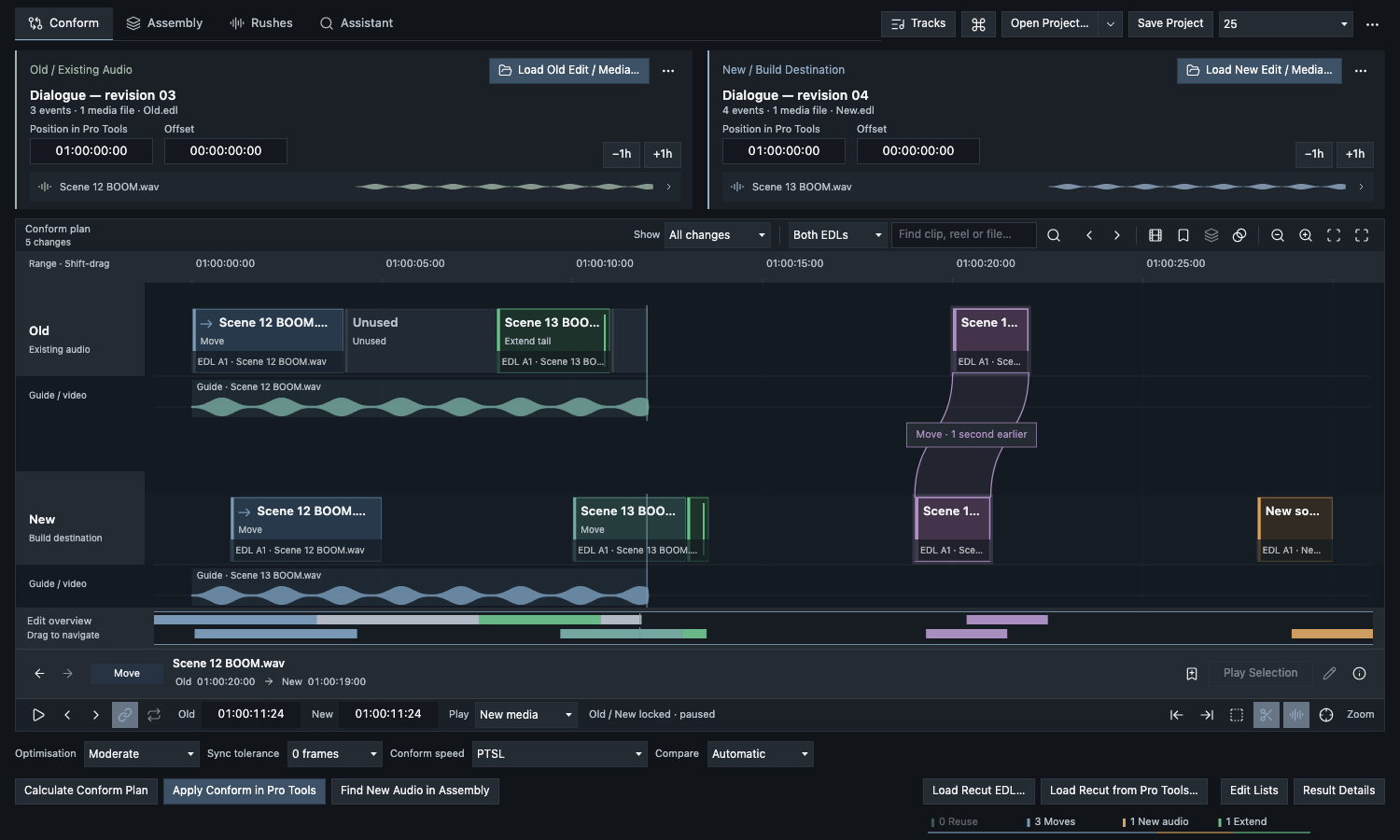
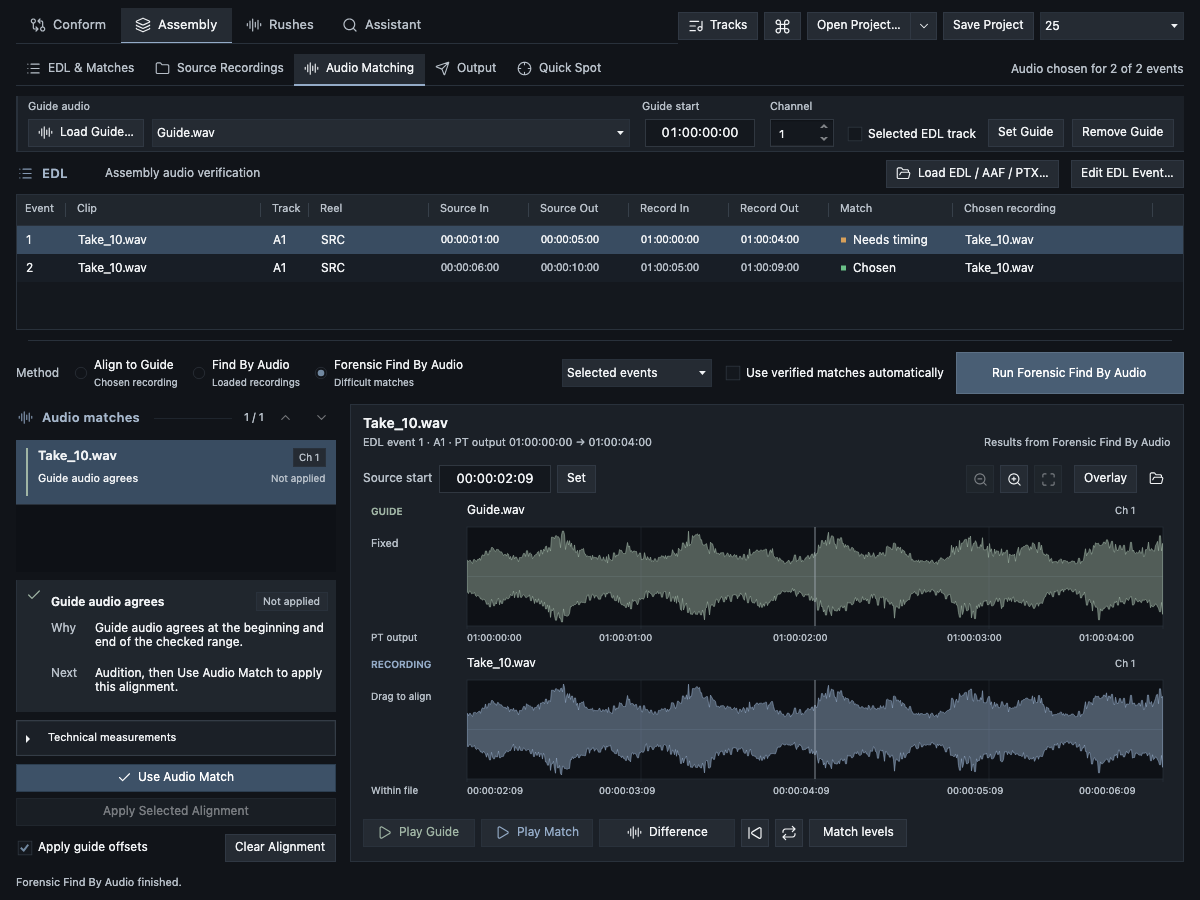
PT EDL compares old and new cuts and rebuilds a new cut in a separate destination range by copying and reusing source material already in a Pro Tools session. For newly added material, Assembly matches EDL events to the original production sound and checks sync against the guide, preserving original channels and source sets. Find alternative takes, expand a guide edit across its source recordings, search dialogue with local transcript indexes, and export a PTX session. PT EDL costs $200 USD. A fully functional seven-day trial is available.
- EDL comparison and conform
- Assembly for new material
- Alternative Take Finding
- Multitrack Expand
- PTX export
PT Session 3
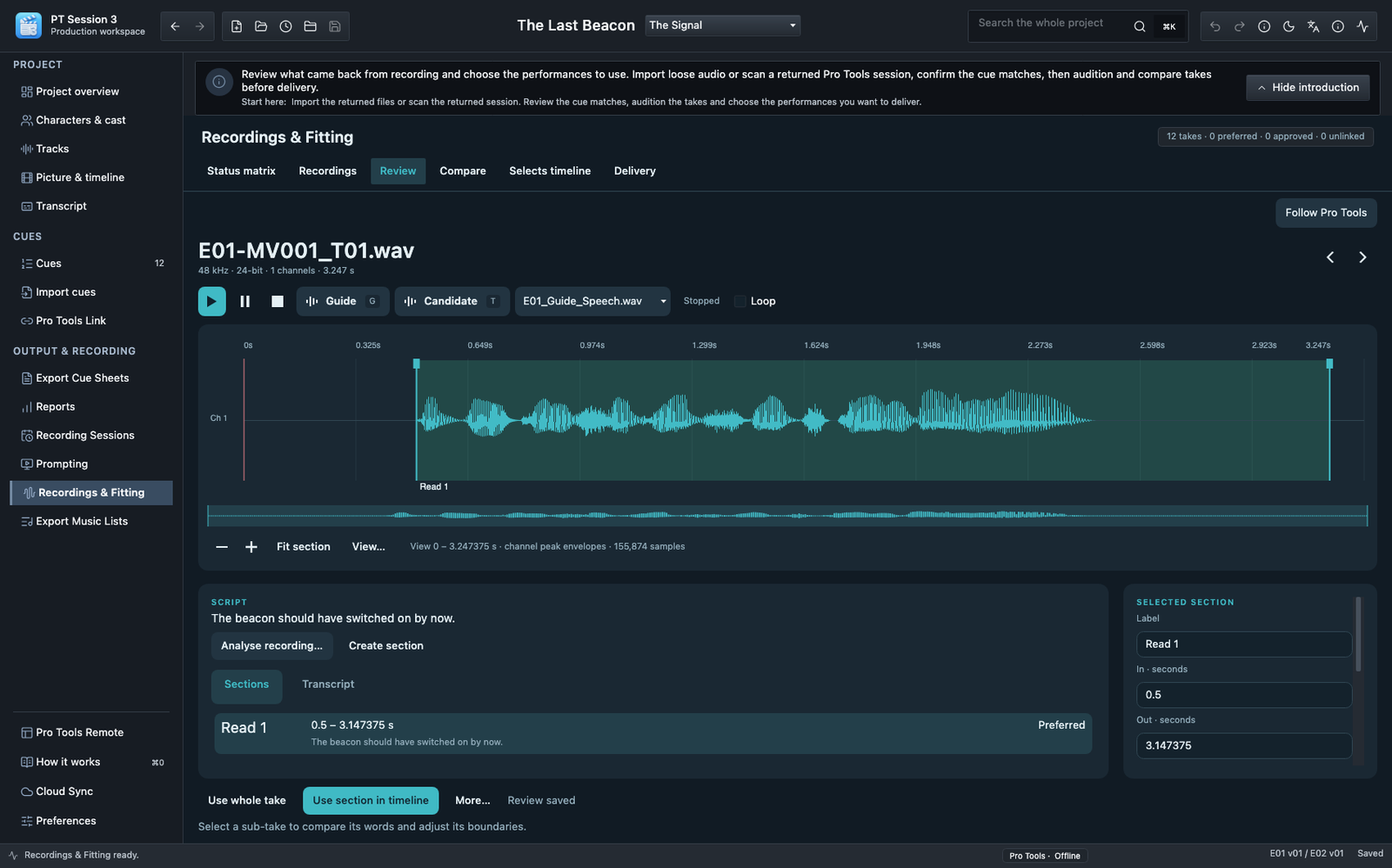
PT Session 3 manages ADR cues, cast, recording sessions and returned takes in one project. Import and refresh turnover folders, transcribe locally, exchange cue changes with Pro Tools, and review recordings with waveforms, saved selections, guide comparison and assembly tracks. Prepare PDF, Excel and Word paperwork, and review returned Word cue sheets and editable PDF dialogue. Mix fonts, sizes, colours and emphasis within dialogue, and retain them in PDF, Word and Excel cue sheets. Optional Client Cue Review publishes selected cue information and evidence to a private Google workbook for invited collaborators. Tracks can classify imported source lanes as Music for source-usage reporting; there is no dedicated music-list export. Apple Silicon and Intel builds are available for macOS 12 or later, with a fully functional trial and a $200 USD commercial licence.
- Mixed fonts, sizes, colours and dialogue emphasis
- Turnover refresh and cue preparation
- Bidirectional Pro Tools cue sync
- Cast, bookings and fitting progress
- Performer prompting and Pro Tools Remote
- Recording review, saved selections and assembly
- Cue sheets and reports in PDF/Word/Excel/text
PT Music Sheets
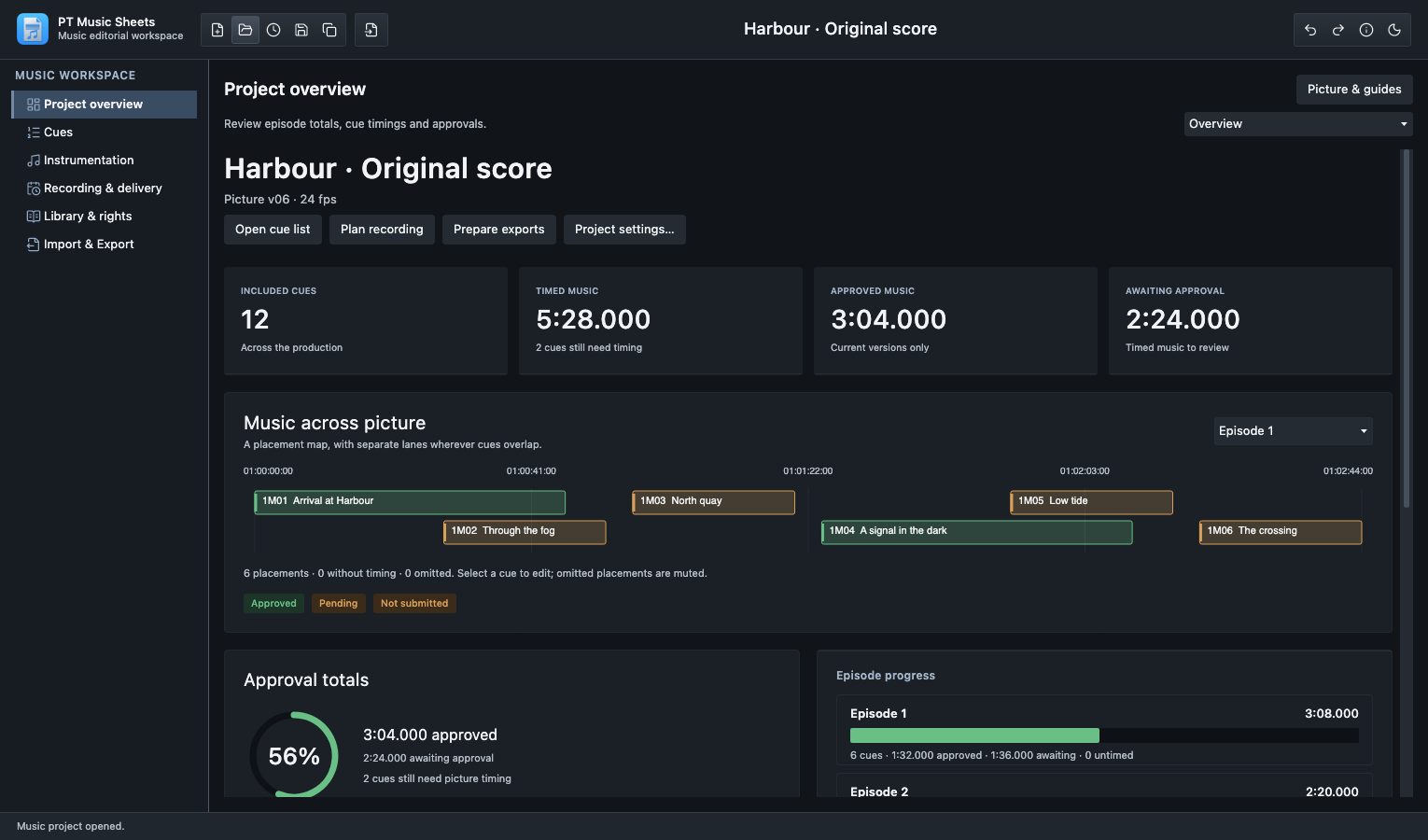
Generate music cue sheets from Pro Tools sessions: select the music tracks, check the names and timings, and export the sheet. PT Music Sheets also covers cue versions and approvals, instrumentation, recording plans, delivery and rights information, picture and guides, and team workbooks.
- Music cue sheets from Pro Tools sessions
- Cue timing, versions and approvals
- Reusable ensembles and cue parts
- Recording plans and delivery references
- Works, credits and rights information
- Excel workbooks, production reports and music lists
- Optional reviewed Google collaboration
About Free Range Audio
Free Range Audio is Pete Gates’ post-production sound and software company. I've worked in post-production sound for 40 years, and I've been programming even longer. I began writing software to deal with practical problems I met in my own work. I continue to develop and support these applications, and Free Range Audio tools are now used worldwide.
The applications are deliberately focused. Each is intended to do a defined job, while leaving the editorial decisions to the user.
Which tool for which job
A quick guide to where each task belongs. Some work from saved files without Pro Tools; others need a compatible running connection.
- →Troubleshoot or restore Pro Tools preferences — PT Prefs (free). Repair and restore use the Mac’s supported preferences and support data. Quit Pro Tools before applying changes.
- →Inspect an incoming PTX and routing, or check an audio delivery — PT Prefs Pro. Saved-file inspection reads PTX, WAV and AIFF directly without opening Pro Tools.
- →Compare revised picture and rebuild an existing edit — PT EDL Conform. Execution drives a running Pro Tools session through PTSL, with a supported AppleScript fallback.
- →Reconstruct original production sound — PT EDL Assembly. Spotting needs a compatible Pro Tools; PTX export and transcript search do not.
- →Generate music cue sheets from Pro Tools sessions — PT Music Sheets. Select the music tracks, review names and timings, and export a sheet. Also organise music editorial, recording plans and production paperwork.
- →Prepare ADR cues, sessions, prompting, returns and paperwork — PT Session 3. Cue preparation, paperwork and recording review work without Pro Tools; Live Sync and Remote need a compatible Pro Tools connection; timed performer prompting can follow MTC/MMC. Pro Tools or another recording application captures the audio—PT Session does not record it.
Downloads, documentation and support
Available product pages contain downloads, system requirements and relevant documentation. Download the build that matches your Mac's architecture — Apple Silicon or Intel — and check a real production sample before adopting a workflow. PT Music Sheets is coming very soon.
Product requirements differ: PT Prefs needs macOS 11 or later, while PT EDL and PT Session 3 need macOS 12 or later. Feature-specific Pro Tools versions are listed on each product page. Not every product offers a trial — PT Prefs is free, PT EDL has a fully functional seven-day trial, and PT Session 3 has a fully functional trial.
When asking for help, include the product and version, your macOS version and Intel or Apple Silicon, the Pro Tools version for live features, the task or source format, brief steps, the expected and actual result, and any exact error text. For PT Prefs, identify the scan scope, filter or selected backup or PTX view. For PT EDL, note the source pair, frame rate, offset, matching method and output stage. For PT Session 3, note the episode, scope, import, sync, recording or output stage. For licence questions, give an order reference and purchase email rather than a full licence key, passwords or activation files.